Noble Spaces Need a Different “Map Language”
A throne room shouldn’t feel like “just another big room.”
It should feel like:
- wealth
- order
- power
- ceremony
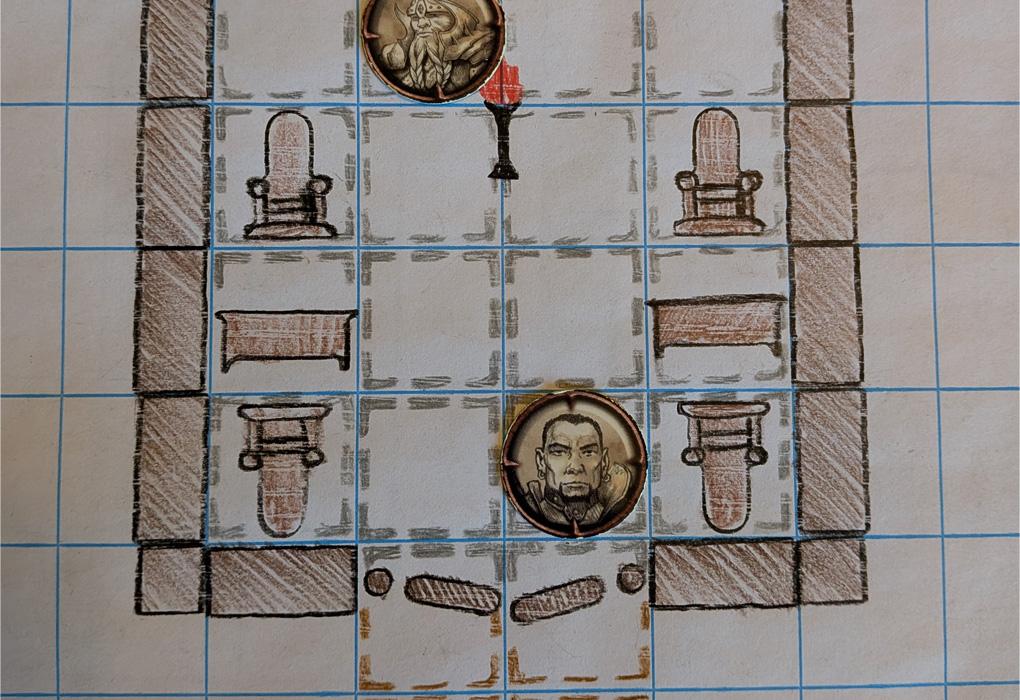
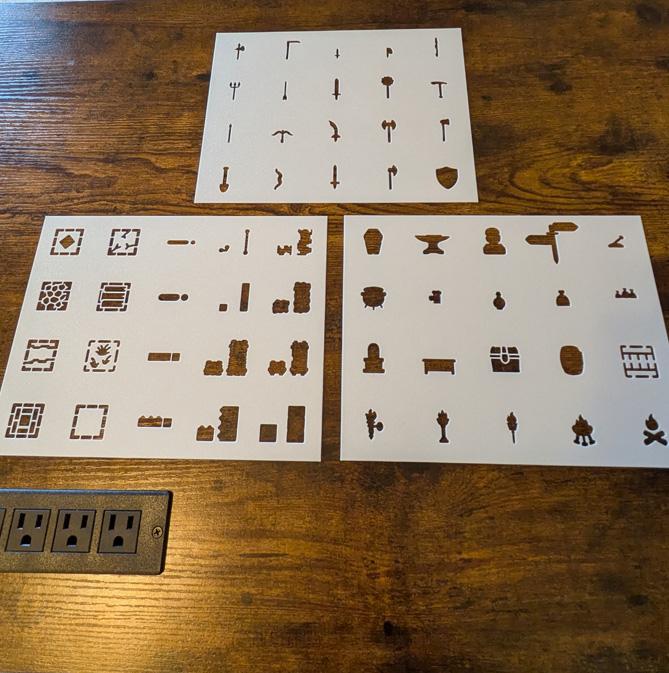
You can communicate that instantly with four stencils:
- Throne
- Fancy Floor / Tile Floor
- Large Door
- Wall Torch

Step 1: Floor Texture = Status
If you change nothing else, change the floor. It’s the quickest “this place is different” signal.
Use this status ladder:
- Tile Floor = refined, clean, maintained (wealthy but practical)
- Fancy Floor = elite, ceremonial, “money lives here”
Easy floor zoning trick
- Fancy Floor in the throne dais zone
- Tile Floor in the approach/aisle
This creates a “stage” effect without extra drawing.
> Tip
> Players notice floor changes. Use them as invisible boundaries: “this is the sacred/important area.”
Step 2: Door Size = Drama
A noble room should have a dramatic entrance.
Use Large Door for:
- main hall entry
- audience chamber entrance
- throne room reveal moment
And keep any other exits subtle (service doors, side doors) in your actual build—this guide stays stencil-first and simple, so we’ll focus on the large dramatic entrance.
> Warning
> If the throne room has the same door language as a tavern, it won’t feel special. Use Large Door here *on purpose*.
Step 3: Symmetry = Power
Symmetry communicates:
- control
- wealth
- discipline
- “this is an institution”
Your simplest symmetry tool: Wall Torch.
Torch symmetry patterns
- Two torches framing the main door
- Two torches framing the throne area
- Evenly spaced pairs down the aisle
> Tip
> If you want to make the room feel “off” (cursed, paranoid, decaying), break symmetry *slightly*—one missing torch is instantly unsettling.
Step 4: Make It Playable (Respect the Grid Scale)
Throne rooms look great… until minis can’t move.
Quick playability rules:
- keep a main aisle at least 2 squares wide
- leave a “fight ring” (open space) somewhere in the room
- don’t trap the throne into a corner where no one can approach
Wall choice tip: if the room gets busy, use Thin Wall for clean readability and let floors/torches provide the flavor.
# Three Throne Room Templates (Ceremony, Ambush, Secret Meeting)
Each template uses only your listed stencils and stays readable at arm’s length.
Template 1: Ceremony Throne Room (Open + Grand)
Best for: speeches, oaths, royal court, big reveals
Stencil recipe
- Large Door at one end (main entrance)
- Central aisle in Tile Floor
- Dais zone in Fancy Floor
- Throne centered on the far end
- Wall Torches in symmetrical pairs along the aisle and framing the throne
How it plays
- easy movement
- clear sightlines
- perfect for “all eyes on the throne” moments
Template 2: Ambush Throne Room (Angles + Betrayal)
Best for: assassins, coup attempts, “guards turn on you” scenes
Stencil recipe
- Large Door for the entrance (dramatic)
- Keep the central aisle, but shift the Throne slightly so the room feels less “perfect”
- Use Tile Floor for most of the room
- Use Fancy Floor only around the throne (focus)
- Place Wall Torches to create “lit zones” and “dark edges” (still symmetrical-ish, but not perfect)
How it plays
- players must reposition (less “straight line”)
- shadows/dark edges feel dangerous
- the throne zone becomes a contested objective
> Tip
> To foreshadow the ambush, make the entrance side *brighter* (more torches) and the throne side *darker* (fewer torches). Players will feel the unease.
Template 3: Secret Meeting (Small Light, Big Tension)
Best for: conspiracies, negotiations, blackmail, clandestine audiences
This room should feel intimate, not grand.
Stencil recipe
- Large Door still exists (status), but reduce the amount of Fancy Floor
- Put Fancy Floor only in a small “meeting zone”
- Keep the rest Tile Floor
- Place Wall Torches only near the meeting zone (the rest feels intentionally dim)
- Throne present but not the center of attention—think “authority watching” rather than “ceremony”
How it plays
- everyone naturally gathers in the lit zone
- tension rises because the room feels controlled
- if combat breaks out, the small lit area becomes a focal point
Common Mistakes (Easy Fixes)
- Everything is Fancy Floor: reserve fancy texture for the throne zone so it pops.
- No symmetry: add torch pairs—two small placements can transform the whole vibe.
- Room too cluttered: throne rooms want open space; let status be the “decoration.”
- No movement lanes: keep a 2-square-wide aisle and an open combat ring.
Next Steps
To connect noble spaces to the rest of your town maps:
- place the throne room exit into a courtyard (use Cobble Stone Floor + Fence Wall)
- add a secret undercity route by transitioning to Stone Wall tunnels
- reskin the same room for different rulers by swapping lighting density (many torches = confident ruler, few torches = paranoid ruler)
With Throne + Fancy Floor + Large Door + Wall Torches, your players will *feel* the power of the room before a single NPC speaks.